Replacing a Failed Kubernetes Node with NVMe Boot on Raspberry Pi 5
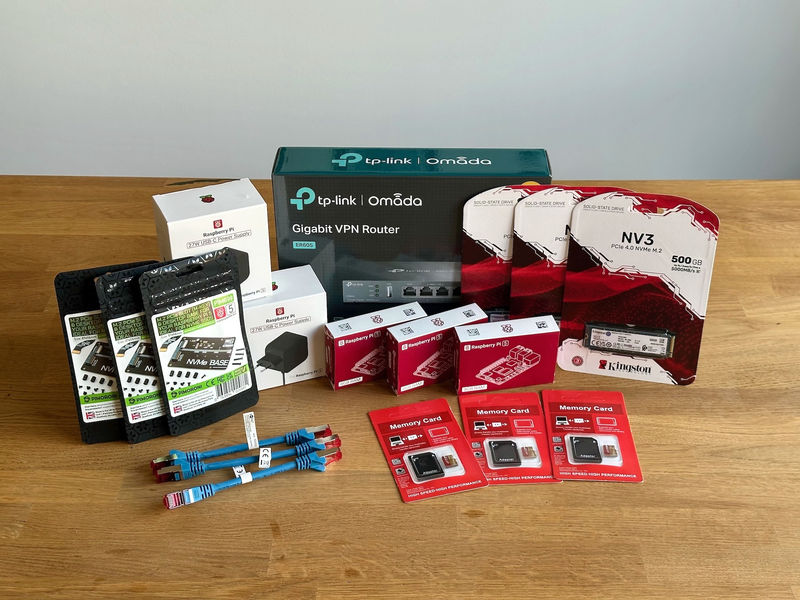
Node 2 of my home Kubernetes cluster started misbehaving after a recent power outage in my apartment, causing the SD card it booted from to take a hit and the OS refused to come back up. The node already had an NVMe SSD attached via the Pi 5’s M.2 HAT, so this was the perfect excuse to rebuild it the way it should have been from the start: booted directly from NVMe.
This is a short companion piece to my Building a production-ready Kubernetes cluster from scratch guide. I’ll point at the relevant lessons rather than repeat them, and call out the parts that needed adjusting on Trixie.
Contrary to how I flashed the Raspberry Pi OS image in the original guide, I decided to leverage the Pi’s network install mode instead. With a keyboard, monitor, and Ethernet cable attached, I booted the Pi 5 with Shift held down to enter the network install. From there I picked Raspberry Pi OS Lite (64-bit) and selected the NVMe disk as the install target with the default partitioning scheme using all of the NVMe storage.
After first boot I ran raspi-config and applied three settings:
- Advanced Options → Boot Order → NVMe-USB-Boot from NVME before trying USB, so the system always picks NVMe over any SD card.
- Localisation Options → Locale, set to my region.
- Interface Options → SSH, enabled so the keyboard and monitor could go away.
Because the OS is installed straight to the NVMe partition, we can skip the storage preparations from lesson 6.
lsblk -f already shows nvme0n1p2 mounted at / as ext4:
$ lsblk -f
NAME        FSTYPE FSVER LABEL  UUID                                 FSAVAIL FSUSE% MOUNTPOINTS
loop0       swap   1
zram0       swap   1     zram0  4449a0e9-143e-46bc-af80-19a3e3f1faf9                [SWAP]
nvme0n1
├─nvme0n1p1 vfat   FAT32 bootfs 0D58-6978                             431.1M    14% /boot/firmware
└─nvme0n1p2 ext4   1.0   rootfs e634e0a4-a958-46cb-abad-862d2102573f  435.2G     1% /
Following lesson 7, I assigned a static IP via NetworkManager and copied my cluster SSH key over:
$ nmcli connection modify "Wired connection 1" \
  ipv4.method manual \
  ipv4.addresses "10.1.1.2/16" \
  ipv4.gateway "10.1.0.1" \
  ipv4.dns "10.1.0.1" \
  autoconnect yes
$ nmcli connection up "Wired connection 1"
$ ssh-copy-id -i ~/.ssh/k8s_cluster_id_ed25519 [email protected]
Install ufw and apply the baseline rules from lesson 7: deny all incoming and outgoing traffic by default, allow SSH inbound, allow DNS, NTP, HTTP, and HTTPS outbound, and apply the ICMP fix that Kubernetes needs for its health checks.
Once those rules are in place, ufw status verbose should report the following baseline (anything in/out beyond this is added by later sections):
$ ufw status verbose
Status: active
Logging: on (low)
Default: deny (incoming), deny (outgoing), disabled (routed)
New profiles: skip

To                         Action      From
--                         ------      ----
22/tcp                     ALLOW IN    Anywhere                   # Allow SSH access
22/tcp (v6)                ALLOW IN    Anywhere (v6)              # Allow SSH access

53                         ALLOW OUT   Anywhere                   # Allow outgoing DNS traffic
123/udp                    ALLOW OUT   Anywhere                   # Allow outgoing NTP traffic
80/tcp                     ALLOW OUT   Anywhere                   # Allow outgoing HTTP traffic
443                        ALLOW OUT   Anywhere                   # Allow outgoing HTTPS traffic
53 (v6)                    ALLOW OUT   Anywhere (v6)              # Allow outgoing DNS traffic
123/udp (v6)               ALLOW OUT   Anywhere (v6)              # Allow outgoing NTP traffic
80/tcp (v6)                ALLOW OUT   Anywhere (v6)              # Allow outgoing HTTP traffic
443 (v6)                   ALLOW OUT   Anywhere (v6)              # Allow outgoing HTTPS traffic
As I did not upgrade my cluster yet, most nodes are still on Kubernetes 1.31.7.
Since this was a clean install I took the opportunity to start migrating to 1.32.13, which is possible because the kubeadm skew policy allows the control plane components to drift by one minor, so a 1.31/1.32 mix is fine.
To set up Kubernetes via apt follow lesson 8, but with the v1.32 repo:
$ apt install -y apt-transport-https ca-certificates curl gnupg
$ mkdir -p -m 755 /etc/apt/keyrings
$ curl -fsSL https://pkgs.k8s.io/core:/stable:/v1.32/deb/Release.key | gpg --dearmor -o /etc/apt/keyrings/kubernetes-apt-keyring.gpg
$ echo 'deb [signed-by=/etc/apt/keyrings/kubernetes-apt-keyring.gpg] https://pkgs.k8s.io/core:/stable:/v1.32/deb/ /' >> /etc/apt/sources.list.d/kubernetes.list
$ apt update
$ apt install -y kubelet kubeadm kubectl
$ apt-mark hold kubelet kubeadm kubectl
$ kubectl version --client
Client Version: v1.32.13
Kustomize Version: v5.5.0
$ kubeadm version
kubeadm version: &version.Info{Major:"1", Minor:"32", GitVersion:"v1.32.13", GitCommit:"6172d7357c6287643350a4fc7e048f24098f2a1b", GitTreeState:"clean", BuildDate:"2026-02-26T20:22:27Z", GoVersion:"go1.24.13", Compiler:"gc", Platform:"linux/arm64"}
$ kubelet --version
Kubernetes v1.32.13
Installing containerd, setting SystemdCgroup = true, and pointing the containerd root directory at the NVMe path is exactly as in lesson 9.
But Debian 13 (Trixie) ships a containerd whose default CNI bin_dir is /usr/lib/cni, not /opt/cni/bin.
The Flannel daemonset installs its CNI binary into /opt/cni/bin (the upstream default), so containerd will fail every sandbox creation with failed to find plugin "flannel" in path [/usr/lib/cni] and pods stay stuck in ContainerCreating.
Before we continue with the rest of the cluster join, we need to fix containerd’s config to point at the right CNI directory and restart it:
$ sed -i 's|bin_dir = "/usr/lib/cni"|bin_dir = "/opt/cni/bin"|' /etc/containerd/config.toml
$ systemctl restart containerd
To prepare the node for joining the cluster, the first step is disabling swap.
On older Raspberry Pi OS releases (Bookworm and earlier), swap was managed by the dphys-swapfile service.
You’d run dphys-swapfile swapoff to turn it off and systemctl disable dphys-swapfile to keep it off across reboots.
Trixie replaces this with zram-based swap, which is created at boot by a templated systemd unit (systemd-zram-setup@zram0).
The catch is that swapoff -a does not disable zram, so the device has to be turned off explicitly, and the unit has to be masked to keep it from coming back on the next boot:
# Check the current swap status to confirm zram is active
$ free -h
               total        used        free      shared  buff/cache   available
Mem:           7.9Gi       286Mi       6.5Gi        12Mi       1.1Gi       7.6Gi
Swap:          2.0Gi          0B       2.0Gi
$ swapon --show
NAME       TYPE      SIZE USED PRIO
/dev/zram0 partition   2G   0B  100

# Disable all swap
$ swapoff -a

# swapoff -a doesn't touch zram, so disable the zram device explicitly:
$ swapoff /dev/zram0

# On Trixie, zram is enabled by a systemd unit that runs at boot, so we need to mask it to prevent it from re-enabling on the next reboot:
$ systemctl mask systemd-zram-setup@zram0
Created symlink '/etc/systemd/system/[email protected]' → '/dev/null'.
After a reboot, confirm that swap is fully disabled:
$ free -h
               total        used        free      shared  buff/cache   available
Mem:           7.9Gi       2.2Gi       3.0Gi       188Mi       3.3Gi       5.7Gi
Swap:             0B          0B          0B

$ swapon --show
# no output, confirming swap is fully disabled
Following lesson 10, I loaded the overlay and br_netfilter modules (persisting them via /etc/modules-load.d/k8s.conf), appended cgroup_memory=1 cgroup_enable=memory to /boot/firmware/cmdline.txt, and installed chrony for NTP synchronization.
After the changes, /boot/firmware/cmdline.txt carries the cgroup flags at the end:
$ cat /boot/firmware/cmdline.txt
console=serial0,115200 console=tty1 root=PARTUUID=1e13ba14-02 rootfstype=ext4 fsck.repair=yes rootwait cgroup_memory=1 cgroup_enable=memory
… and chronyc sources confirms the clock is syncing against the configured peers:
$ chronyc sources
MS Name/IP address         Stratum Poll Reach LastRx Last sample
===============================================================================
^* fetchmail.mediainvent.at      2   6    17    35    +98us[  +52us] +/-   28ms
^+ sv2.ggsrv.de                  2   6    17    35    -71us[ -111us] +/-   11ms
^+ extern1.nemox.net             2   6    17    35    +52us[  +52us] +/-   43ms
^- 83-215-130-11.dyn.cablel>     2   6    17    35  -1513us[-1513us] +/-  136ms
The sysctl settings from lesson 10 go into /etc/sysctl.d/k8s.conf:
# /etc/sysctl.d/k8s.conf
net.bridge.bridge-nf-call-iptables  = 1
net.bridge.bridge-nf-call-ip6tables = 1
net.ipv4.ip_forward                 = 1
net.ipv4.ip_nonlocal_bind           = 1   # needed for HAProxy on backup nodes (see lesson 15)
Apply with sysctl --system as root.
Open the intra-node Kubernetes ports from lesson 12 and lesson 13: 6443 (API server), 2379-2380 (etcd peer and client), and 10250 (kubelet) across 10.1.1.0/24 in both directions, plus 10251 (scheduler) and 10252 (controller manager) restricted to localhost.
Then on an existing master, mint a join token and upload the control plane certs so the new node can pull them down:
$ kubeadm token create --print-join-command
kubeadm join 10.1.233.1:6443 --token tk7r9p.xy3n82mvq5lcfwod --discovery-token-ca-cert-hash sha256:8f4a92c1e3b76d05a9f1c248bb7e3a51d8c692b07f3e4a9c1d5b86fa20e7d3a8

$ kubeadm init phase upload-certs --upload-certs
I0428 20:54:18.358218 25923 version.go:261] remote version is much newer: v1.36.0; falling back to: stable-1.32
[upload-certs] Storing the certificates in Secret "kubeadm-certs" in the "kube-system" Namespace
[upload-certs] Using certificate key:
9b2e7f04a3c19d568e7b4a02fc1d9358b67e2a4c0f8d9135c7e26ab401f9d72c
These two steps allow the new node to join as a control plane instance and pull the necessary certs without having to manually copy them over.
Because the failed node had previously been a member of the cluster, etcd still listed it.
Trying to join would fail with can only promote a learner member which is in sync with leader.
List and remove the stale member from any working master:
$ kubectl -n kube-system exec etcd-kubernetes-node-1 -- etcdctl \
    --endpoints=https://127.0.0.1:2379 \
    --cacert=/etc/kubernetes/pki/etcd/ca.crt \
    --cert=/etc/kubernetes/pki/etcd/server.crt \
    --key=/etc/kubernetes/pki/etcd/server.key \
    member list
a8f2d7e103b69c40, started, kubernetes-node-2, https://10.1.1.2:2380, https://10.1.1.2:2379, false
b94e5a7c20f81db3, started, kubernetes-node-1, https://10.1.1.1:2380, https://10.1.1.1:2379, false
c75a9d3f81e426b8, started, kubernetes-node-3, https://10.1.1.3:2380, https://10.1.1.3:2379, false

# remove the stale node-2 member by ID
$ kubectl -n kube-system exec etcd-kubernetes-node-1 -- etcdctl \
    --endpoints=https://127.0.0.1:2379 \
    --cacert=/etc/kubernetes/pki/etcd/ca.crt \
    --cert=/etc/kubernetes/pki/etcd/server.crt \
    --key=/etc/kubernetes/pki/etcd/server.key \
    member remove a8f2d7e103b69c40
Member a8f2d7e103b69c40 removed from cluster 4d8e1f29c3b75a06
Now on the new node, run the join command with --control-plane and the certificate key from upload-certs:
$ kubeadm join 10.1.1.1:6443 \
    --token tk7r9p.xy3n82mvq5lcfwod \
    --discovery-token-ca-cert-hash sha256:8f4a92c1e3b76d05a9f1c248bb7e3a51d8c692b07f3e4a9c1d5b86fa20e7d3a8 \
    --certificate-key 9b2e7f04a3c19d568e7b4a02fc1d9358b67e2a4c0f8d9135c7e26ab401f9d72c \
    --control-plane
[preflight] Running pre-flight checks
[WARNING SystemVerification]: missing optional cgroups: hugetlb
[preflight] Reading configuration from the "kubeadm-config" ConfigMap in namespace "kube-system"...
[preflight] Use 'kubeadm init phase upload-config --config your-config.yaml' to re-upload it.
[preflight] Running pre-flight checks before initializing the new control plane instance
[preflight] Pulling images required for setting up a Kubernetes cluster
[preflight] This might take a minute or two, depending on the speed of your internet connection
[preflight] You can also perform this action beforehand using 'kubeadm config images pull'
W0428 21:13:04.996931 4406 checks.go:843] detected that the sandbox image "registry.k8s.io/pause:3.8" of the container runtime is inconsistent with that used by kubeadm. It is recommended to use "registry.k8s.io/pause:3.10" as the CRI sandbox image.
[download-certs] Downloading the certificates in Secret "kubeadm-certs" in the "kube-system" Namespace
[download-certs] Saving the certificates to the folder: "/etc/kubernetes/pki"
[certs] Using certificateDir folder "/etc/kubernetes/pki"
[certs] Generating "apiserver" certificate and key
[certs] apiserver serving cert is signed for DNS names [kubernetes kubernetes-node-1 kubernetes-node-2 kubernetes-node-3 kubernetes.default kubernetes.default.svc kubernetes.default.svc.cluster.local] and IPs [10.96.0.1 10.1.1.2 10.1.1.1 127.0.0.1 10.1.233.1 10.1.1.3 10.0.0.10]
[certs] Generating "apiserver-kubelet-client" certificate and key
[certs] Generating "front-proxy-client" certificate and key
[certs] Generating "etcd/healthcheck-client" certificate and key
[certs] Generating "etcd/server" certificate and key
[certs] etcd/server serving cert is signed for DNS names [kubernetes-node-2 localhost] and IPs [10.1.1.2 127.0.0.1 ::1]
[certs] Generating "etcd/peer" certificate and key
[certs] etcd/peer serving cert is signed for DNS names [kubernetes-node-2 localhost] and IPs [10.1.1.2 127.0.0.1 ::1]
[certs] Generating "apiserver-etcd-client" certificate and key
[certs] Valid certificates and keys now exist in "/etc/kubernetes/pki"
[certs] Using the existing "sa" key
[kubeconfig] Generating kubeconfig files
[kubeconfig] Using kubeconfig folder "/etc/kubernetes"
[kubeconfig] Writing "admin.conf" kubeconfig file
[kubeconfig] Writing "controller-manager.conf" kubeconfig file
[kubeconfig] Writing "scheduler.conf" kubeconfig file
[control-plane] Using manifest folder "/etc/kubernetes/manifests"
[control-plane] Creating static Pod manifest for "kube-apiserver"
[control-plane] Creating static Pod manifest for "kube-controller-manager"
[control-plane] Creating static Pod manifest for "kube-scheduler"
[check-etcd] Checking that the etcd cluster is healthy
[kubelet-start] Writing kubelet configuration to file "/var/lib/kubelet/config.yaml"
[kubelet-start] Writing kubelet environment file with flags to file "/var/lib/kubelet/kubeadm-flags.env"
[kubelet-start] Starting the kubelet
[kubelet-check] Waiting for a healthy kubelet at http://127.0.0.1:10248/healthz. This can take up to 4m0s
[kubelet-check] The kubelet is healthy after 2.001063682s
[kubelet-start] Waiting for the kubelet to perform the TLS Bootstrap
[etcd] Announced new etcd member joining to the existing etcd cluster
[etcd] Creating static Pod manifest for "etcd"
{"level":"warn","ts":"2026-04-28T21:13:14.070475+0200","logger":"etcd-client","caller":"[email protected]/retry_interceptor.go:63","msg":"retrying of unary invoker failed","target":"etcd-endpoints://0x4000af81e0/10.1.1.1:2379","attempt":0,"error":"rpc error: code = FailedPrecondition desc = etcdserver: can only promote a learner member which is in sync with leader"}
{"level":"warn","ts":"2026-04-28T21:13:14.551865+0200","logger":"etcd-client","caller":"[email protected]/retry_interceptor.go:63","msg":"retrying of unary invoker failed","target":"etcd-endpoints://0x4000af81e0/10.1.1.1:2379","attempt":0,"error":"rpc error: code = FailedPrecondition desc = etcdserver: can only promote a learner member which is in sync with leader"}
... (several more retries while the new etcd member catches up) ...
[etcd] Waiting for the new etcd member to join the cluster. This can take up to 40s
[mark-control-plane] Marking the node kubernetes-node-2 as control-plane by adding the labels: [node-role.kubernetes.io/control-plane node.kubernetes.io/exclude-from-external-load-balancers]
[mark-control-plane] Marking the node kubernetes-node-2 as control-plane by adding the taints [node-role.kubernetes.io/control-plane:NoSchedule]

This node has joined the cluster and a new control plane instance was created:

- Certificate signing request was sent to apiserver and approval was received.
- The Kubelet was informed of the new secure connection details.
- Control plane label and taint were applied to the new node.
- The Kubernetes control plane instances scaled up.
- A new etcd member was added to the local/stacked etcd cluster.

To start administering your cluster from this node, you need to run the following as a regular user:

    mkdir -p $HOME/.kube
    sudo cp -i /etc/kubernetes/admin.conf $HOME/.kube/config
    sudo chown $(id -u):$(id -g) $HOME/.kube/config

Run 'kubectl get nodes' to see this node join the cluster.
The etcd retry warnings in the middle are expected: the new etcd member is added as a learner and has to catch up to the leader before being promoted, and the whole join still finishes in well under a minute.
Apply the Flannel firewall rules from lesson 12 (UDP 8285 and 8472 for the VXLAN backend, plus the 10.244.0.0/16 pod CIDR and flannel.1 interface rules).
The cluster-wide DaemonSet then schedules a kube-flannel pod on the new node automatically.
Lesson 15 walks through Keepalived and HAProxy in detail, so I won’t repeat the configs.
One thing worth doing on the new node before you trust the VIP is verifying that HAProxy actually listening on all four ports.
systemctl status haproxy happily reports active (running) even when individual binds silently failed, so always cross-check with ss:
$ ss -tlnp | grep haproxy
# expected:
# LISTEN ... 10.1.233.1:6443  ... ("haproxy",...)
# LISTEN ... 10.1.233.1:80    ...
# LISTEN ... 10.1.233.1:443   ...
# LISTEN ... 10.1.233.1:30053 ...
Once those four entries are there, point your local kubeconfig at the VIP and confirm round-robin works:
$ sed -i 's|server: https://10.1.1.2:6443|server: https://10.1.233.1:6443|' ~/.kube/config
for i in 1 2 3 4 5; do curl -k -s https://10.1.233.1:6443/healthz; echo; done
If your cluster uses Longhorn, the longhorn-manager DaemonSet will land on the new node as soon as it joins, and crash-loop until you install the iSCSI client tooling on the host:
fatal ... please make sure you have iscsiadm/open-iscsi installed on the host
Install both iSCSI and NFS clients (NFS is needed for ReadWriteMany volumes), and enable iscsid:
$ apt install -y open-iscsi nfs-common
$ systemctl enable --now iscsid
The crash-looping longhorn-manager pod will recover on its next restart, no kubectl action needed.
kubeadm join --control-plane adds node-role.kubernetes.io/control-plane:NoSchedule to the new node, which prevents ordinary workloads from landing there.
If your other masters are running workloads (mine are, since this is a small home cluster where every Pi should be utilized), remove the taint:
$ kubectl taint nodes kubernetes-node-2 node-role.kubernetes.io/control-plane:NoSchedule-
A quick sanity check that the node both reaches the apiserver and runs pods end-to-end:
$ kubectl run sched-check --image=busybox:1.36 --restart=Never --overrides='
  {"spec":{"nodeName":"kubernetes-node-2"}}' \
  --command -- sh -c 'echo running on $(hostname)'
$ kubectl logs sched-check
$ kubectl delete pod sched-check
The Trixie-specific findings (containerd’s bin_dir default, and zram replacing dphys-swapfile) only really matter when bringing up a node on Debian 13.
The Longhorn open-iscsi step applies to any new node, but the existing nodes already have it from their original install, so it’s only a surprise when you add a fresh one.
I might consider updating the guide to use trixie-based images at some point and merge all of these findings into the guide as warnings on the relevant lessons (9, 10, 17). Until then, if you’re following the guide on Trixie or on a Pi 5 with NVMe boot, the steps above are what you’ll want to layer on top.
If you found this helpful, the full guide is free at Building a production-ready Kubernetes cluster from scratch. Feel free to reach out to me on X for any follow-up questions or concerns. And if you want to support my content, checkout the options on my GitHub Sponsors page. 🙏
Related Articles